Machine translation without native-speaker review. The English version is binding. · latviešu English
QR how-to guide · latviešu
Using colours and a logo · latviešu
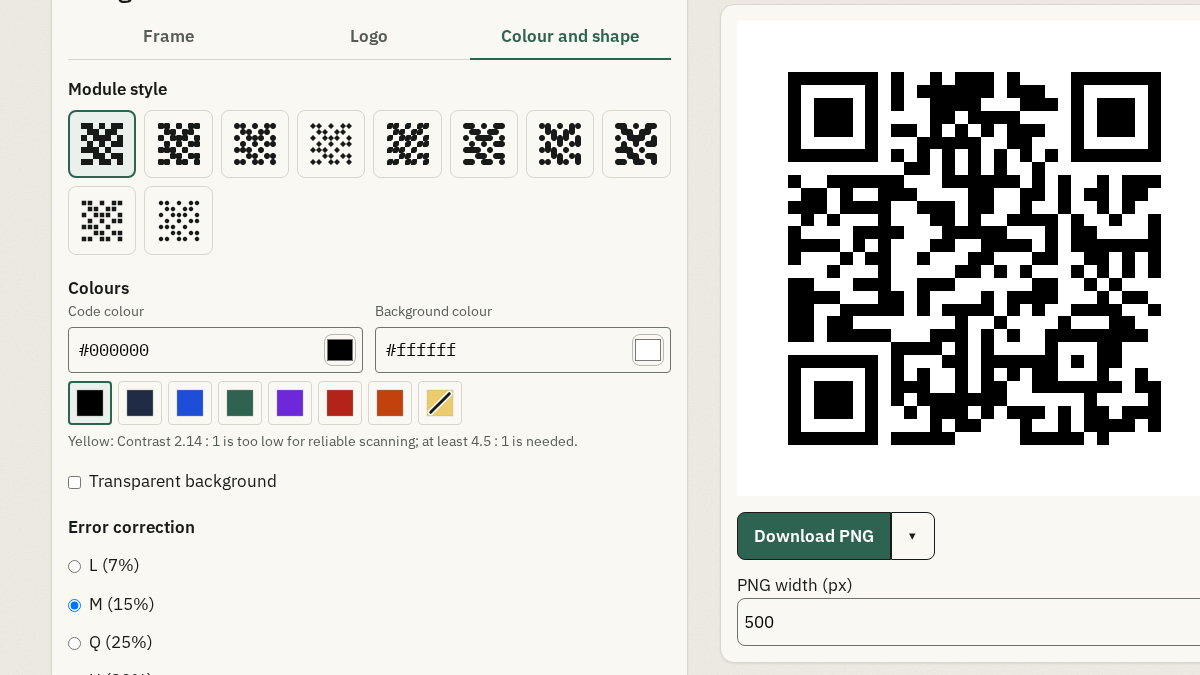
A styled QR code still needs a clear contrast relationship between its modules and background. DurableQR checks contrast in the generator, but that check does not replace a test on the material and in the light where the code will be used. · latviešu
A logo changes the available error correction level and the usable design area. Treat the logo as part of the symbol, not as a guarantee that any amount of it can cover modules. · latviešu
Start with contrast and a light background · latviešu
Keep the foreground distinct from the background and inspect the warning shown by the generator. A light background gives the modules a clearer field; glare, texture, and low light can still change the printed result. · latviešu
- Choose a dark foreground and a light, non-reflective background. · latviešu
- Use the generator contrast check before opening the download panel. · latviešu
- Inspect the preview at the intended output size. · latviešu
- Scan a physical sample under the expected lighting. · latviešu
Add a supported logo · latviešu
The generator accepts PNG, JPG, or GIF raster logos up to 2 MiB, or SVG logos up to 256 KiB. Use a simple mark with enough empty space around it and inspect the resulting symbol. · latviešu
Adding a logo selects error correction level H. That is a QR encoding level, not a statement that 30% of the visible code may be covered. · latviešu
Verify the physical print · latviešu
Download the intended format, print a sample, and scan it from the distance and angle people will use. If the sample is difficult to read, simplify the colours or logo before printing the full run. · latviešu
Frequently asked questions · latviešu
What background works best for a QR code? · latviešu
Use a light, even, non-reflective background with clear contrast against the modules. Test the actual material and lighting before the full print run. · latviešu
Does a logo mean I can cover part of the QR code? · latviešu
No. A logo selects error correction level H, but it does not define a safe covered surface. Keep the symbol clear and verify a physical sample. · latviešu
Why does the generator warn about my colours? · latviešu
The foreground and background do not meet the generator contrast rule, or the selected design creates another conflict. Choose clearer colours and check the preview again. · latviešu