Machine translation without native-speaker review. The English version is binding. · norsk English
QR how-to guide · norsk
Choosing a QR file format · norsk
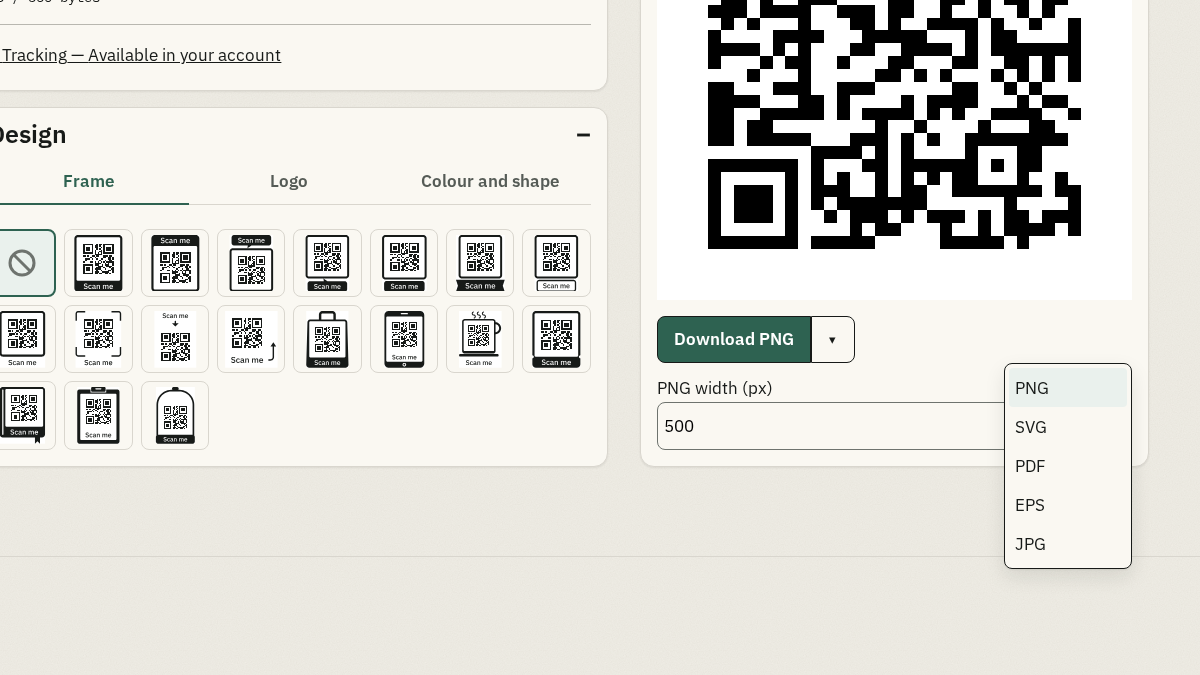
DurableQR offers PNG, JPG, SVG, PDF, and EPS output for static QR artwork. The right choice depends on the surface, the printer, and whether the artwork needs a transparent background. · norsk
Use the preview and the format notes together. A file format does not replace a test print at the size you will use. · norsk
Choose the format · norsk
PNG and JPG are raster images with a pixel width. SVG, PDF, and EPS are suited to workflows that keep vector artwork or a physical size. · norsk
- Choose PNG or JPG for a raster workflow or quick image placement. · norsk
- Choose SVG, PDF, or EPS when the print workflow accepts vector artwork. · norsk
- Set the requested size and inspect the rendered preview. · norsk
- Make a test print at the final physical size before the full run. · norsk
Know the format limits · norsk
PNG, JPG, SVG, PDF, and EPS are not interchangeable in every design. Transparency is preserved by PNG and SVG. Module styles other than square are available only in PNG and JPG, and some logo or frame choices are format-specific. · norsk
Check the print result · norsk
Print a sample on the same material and at the same size as the final job. Scan that sample with the intended phone or reader, and check the destination before approving the whole run. · norsk
Frequently asked questions · norsk
Which QR format should I use for a print shop? · norsk
Ask the printer which vector or raster input they accept. SVG, PDF, and EPS can suit vector workflows; PNG and JPG suit raster workflows. Confirm with a test print. · norsk
Which formats preserve transparency? · norsk
PNG and SVG preserve transparency in the supported workflow. JPG has no transparent background, and PDF or EPS settings can impose their own output constraints. · norsk
Does a vector file guarantee a successful scan? · norsk
No. Scanability still depends on contrast, design choices, physical size, material, lighting, and the reader. Use the preview and a real test print. · norsk