Machine translation without native-speaker review. The English version is binding. · română English
QR how-to guide · română
Editing a dynamic destination · română
A dynamic code points at a managed DurableQR address. Its account owner can edit the destination after printing while the printed symbol stays the same. · română
A static code is different: its payload lives in the symbol and changing the data means creating and printing a new code. · română
Open the code and edit it · română
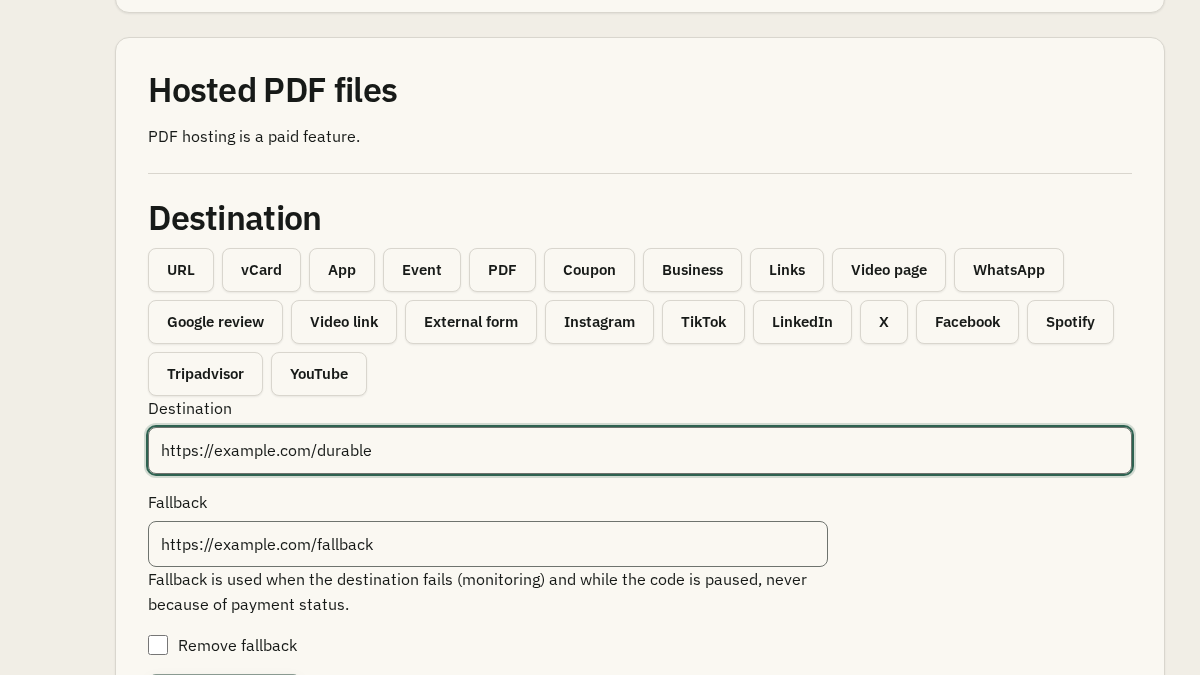
Sign in to the account that manages the code, open its details, and start the destination editor. The form keeps the current destination and fallback separate. · română
- Open the code details from the codes list. · română
- Enter and validate the new destination URL. · română
- Set, change, or remove the fallback separately. · română
- Save and wait for the confirmed result before closing the details view. · română
Use destination and fallback history · română
The saved destination is the normal target. A fallback is a separate address used when the code is paused or the service state requires the fallback behaviour. Open history to review earlier versions before choosing an action. · română
Confirm a rollback · română
A rollback creates a new current version from an earlier destination after confirmation. It is not an edit to a static code and it does not silently resend a failed mutation. If the code state or a conflict prevents the change, read the notice and reload the current details. · română
Frequently asked questions · română
Can I edit a static QR code after printing? · română
No. A static code stores its payload in the symbol. Create and print a new code when that data changes. · română
Is fallback the same as the destination? · română
No. The destination is the normal target; fallback is a separate address used by the code’s documented fallback behaviour. · română
What does rollback do? · română
After confirmation, rollback creates a new current version using an earlier destination from history. It does not rewrite the printed symbol. · română