Machine translation without native-speaker review. The English version is binding. · русский English
QR how-to guide · русский
Adding a frame and call to action · русский
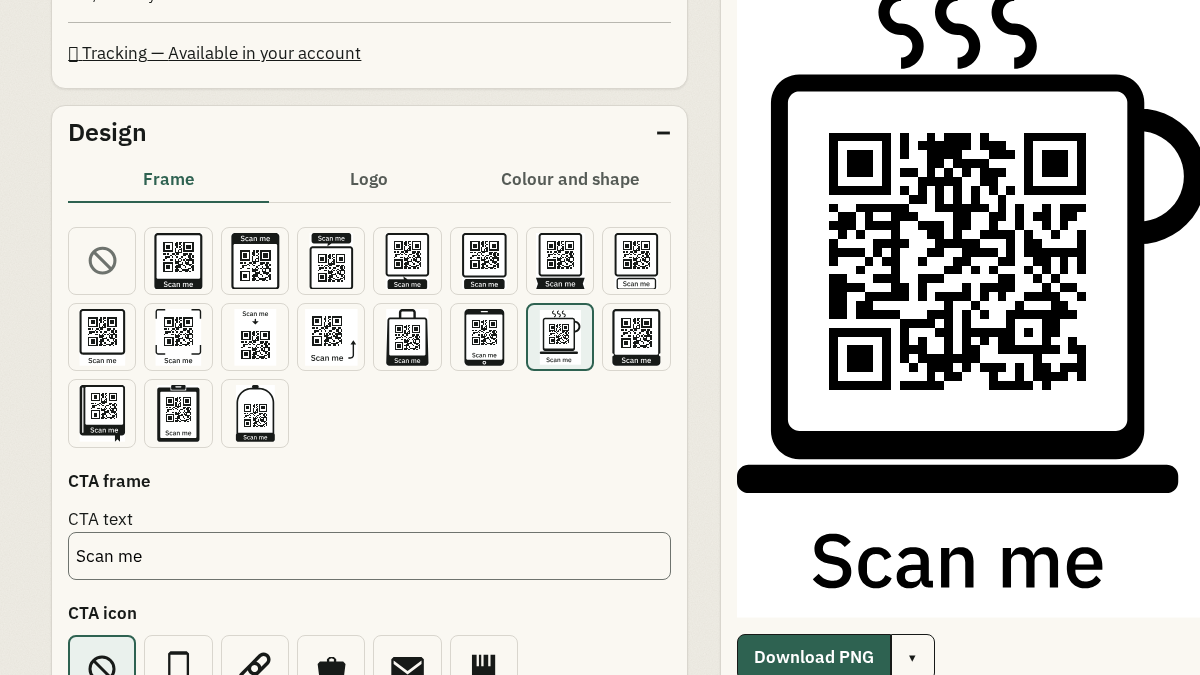
A frame can give a printed QR symbol context, such as a short instruction to scan. The generator offers a catalogue of supported frames; it does not accept arbitrary frame scripts. · русский
Keep the call to action legible and within the control limits. The selected frame, colours, and output format work together. · русский
Choose a frame and CTA · русский
Select a supported frame, enter a short call to action, and use the live preview to see how the text sits with the symbol. · русский
- Open the frame controls in the generator. · русский
- Choose one of the supported frame shapes. · русский
- Write a call to action of 1–20 supported characters. · русский
- Check the preview and download only after the frame is valid. · русский
Check frame and text contrast · русский
The CTA text and frame colours need contrast of at least 4.5:1 in the editable frame controls. If the colours fail, choose a clearer pair rather than relying on the preview alone. · русский
Preview the complete output · русский
Frames and decorations can have format-specific limits. Inspect the rendered preview in the format you plan to print, then run a physical scan test on the finished material. · русский
Frequently asked questions · русский
How long can the frame call to action be? · русский
The frame control accepts 1–20 supported characters. It also rejects unsupported characters and text with a leading or trailing space. · русский
Can I use any frame design? · русский
No. Choose from the supported frame catalogue shown by the generator. The available frame and decoration choices can depend on the output format. · русский
Why is my frame CTA rejected? · русский
The text may be outside the 1–20 character range, contain an unsupported character, or fail the required colour contrast. Adjust the text or colours and check the preview again. · русский